Correct any screen with a camera you already own.
An LED wall, a TV, a monitor, a projector. Show a test pattern on the screen, photograph it, and drop the frame in. colorcal reads what your camera saw against what the screen should have shown, and tells you in plain language what to change. About ten minutes, no probe.
Free. No account. Works offline. Your frames never leave the tab.
How it works
Four steps, about ten minutes
-
1
Generate the pattern
Pick how deep a pass you want, and colorcal renders the test chart at your screen's exact resolution. A grey wedge for a quick neutral pass, or a full calibration chart.
-
2
Shoot it
Display the pattern, then photograph it. Lock exposure, lock white balance, kill any LUT. The guide has the capture rules with the reason behind each one.
-
3
Drop the frame in
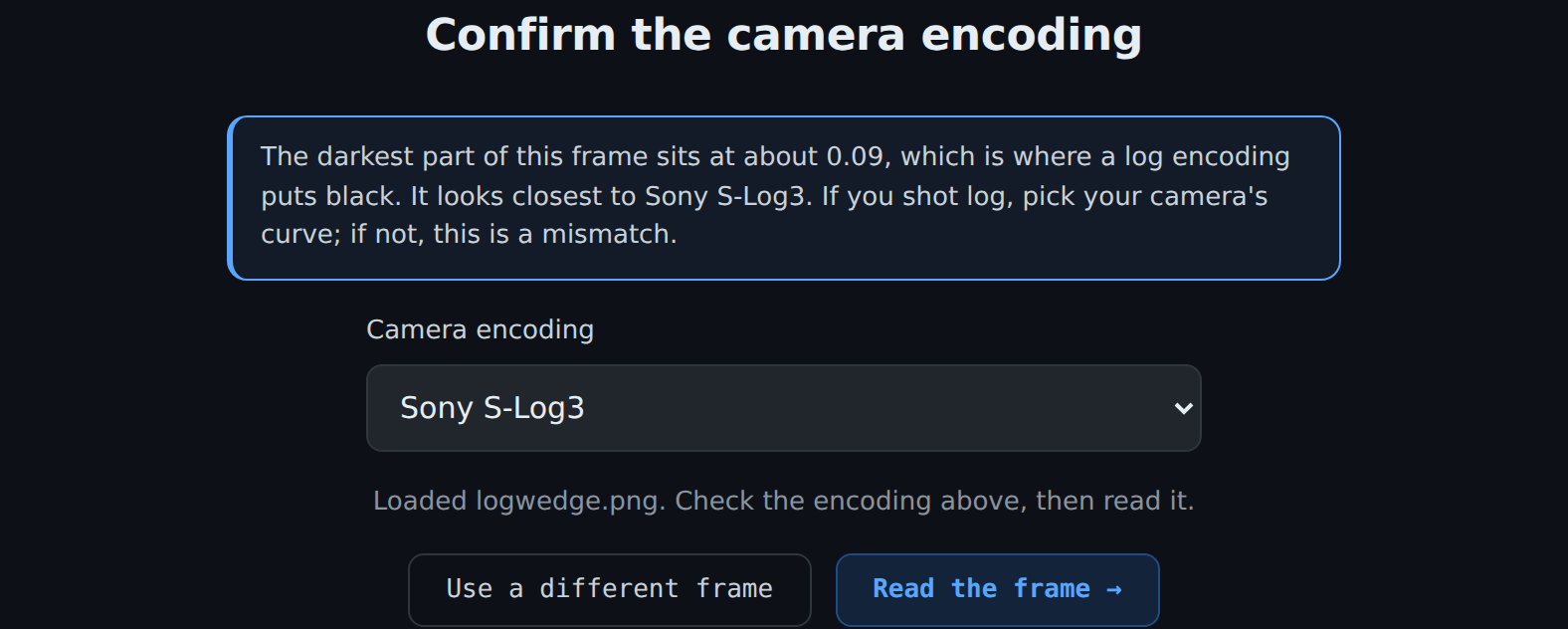
colorcal reads the frame's black floor and suggests the camera encoding for you to confirm. TIFF, PNG, or JPG, 8-bit or 16-bit. Nothing is uploaded.
-
4
Read the result
A live before-and-after preview, plain-language findings, and the exact settings to change on your gear, in your processor or TV's own terms.
What you get
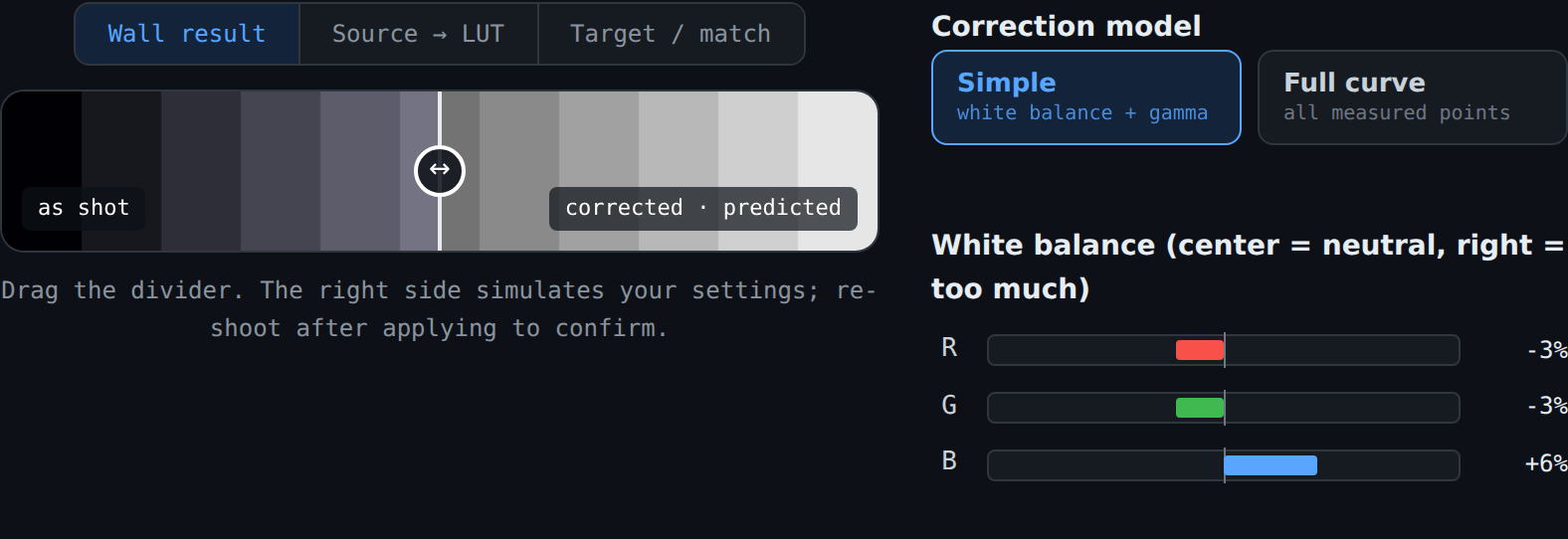
See the correction, not just a number
The lab shows what the screen is doing and what your settings will do about it. A draggable wipe compares the frame as-shot against the corrected prediction, per-channel white-balance bars show the cast, and scopes plot black and white drift. Handles let you tweak the auto-match and watch it update.
What you get
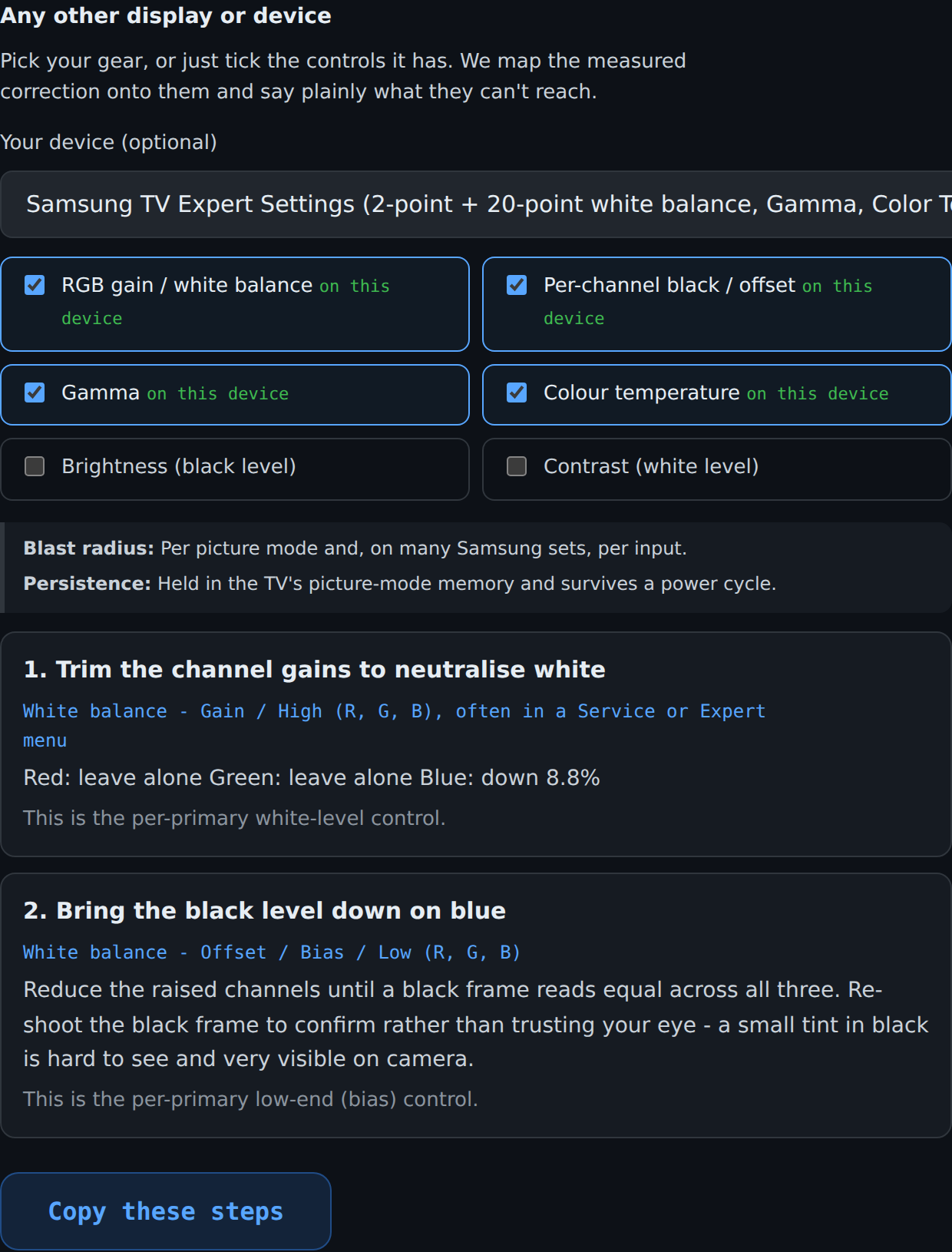
Settings for the gear you actually have
Name your device from a catalogue of 88, from a Samsung TV to a Brompton or NovaStar processor, or just tick the controls it has. colorcal maps the measured correction onto those controls, in their own menu terms, and says plainly what they cannot reach. A source LUT and a master brightness knob both physically cannot fix a tinted black, so it tells you, instead of sending you chasing a cast you can never remove.
What you get
Two ways to apply it
A .cube LUT for the source
A standard 3D LUT that loads into Resolve, Premiere, an inline LUT box, or a media server. It bakes the measured white balance and gamma correction upstream of the screen. Honest about its ceiling: a source LUT only ever adds light, so it cannot lower a lifted black.
Trims for your processor or display
Relative percentages and the real field names for your gear, so grey reads grey and black reads black at the screen. This is the route that can fix a tinted black, because it acts on what the screen emits, and it travels with the hardware.
What you get
It reads your frame for you
The one thing a camera match depends on is knowing how the frame was encoded. colorcal reads the darkest part of the image: a log curve cannot put black below its own floor, so the black level tells it whether you shot log or standard video. It proposes the likely camera curve, you confirm, and a mismatch nudge catches it later if the pick and the frame disagree.
What you get
Bring your own pattern
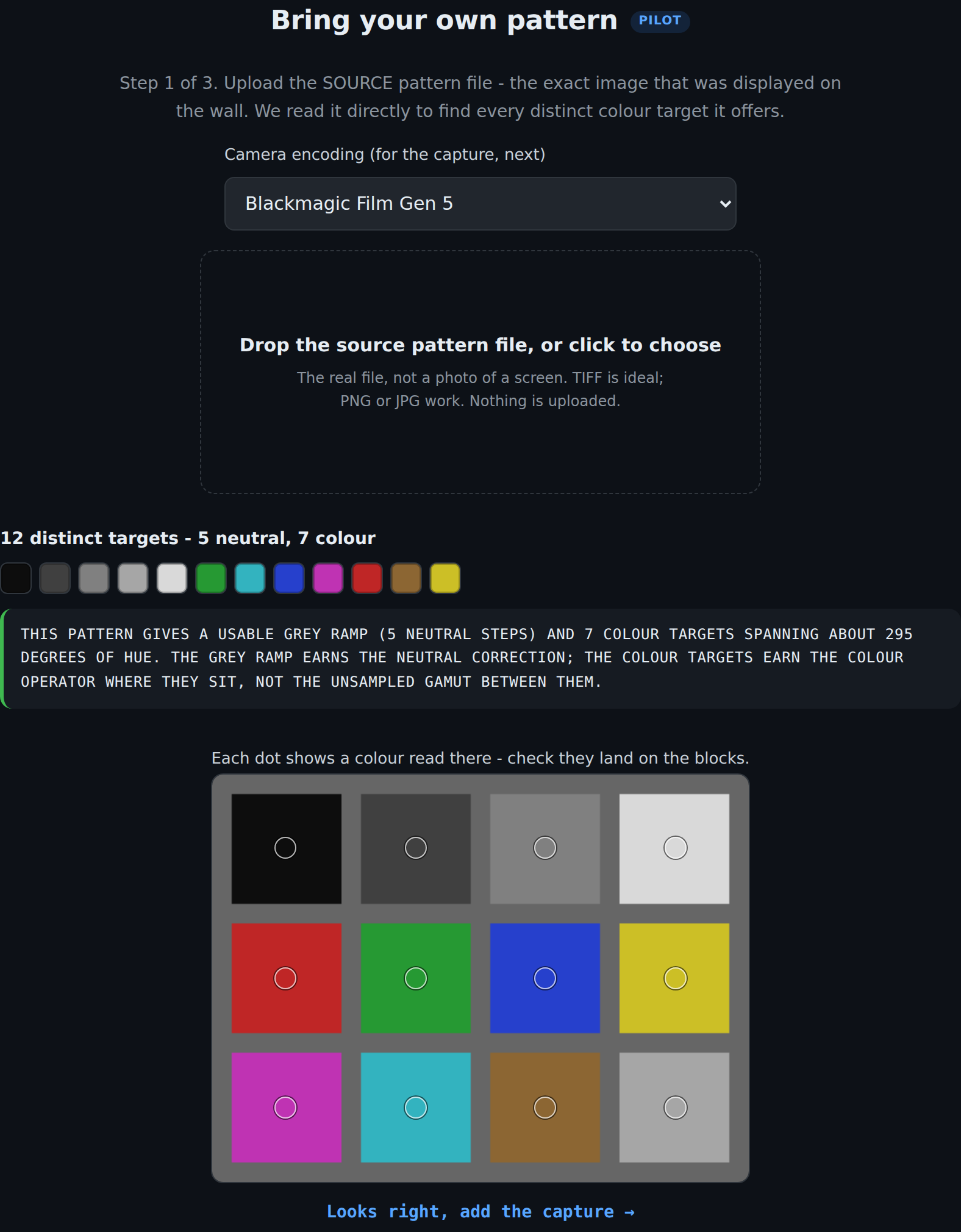
Not tied to our charts. Upload any pattern made of flat colour blocks, a colour checker, a custom grid, and colorcal finds every distinct target it offers and reports honestly what it can and cannot correct from it: a usable grey ramp, how many colour targets, how much of the hue circle they span.
Honest limits
This is not a probe replacement
A camera is not a spectroradiometer, so colorcal does not claim absolute colorimetric accuracy and should not be used to certify a screen. What it does do is more useful than it sounds: most screens in the field have never been corrected at all, and a camera match closes most of that gap, for free, in the time it takes to set up. Everywhere a control or a measurement is uncertain, the tool says so rather than guessing.
Privacy
Your frames never leave the machine
There is no upload step and no server that sees your images. Frames are decoded and measured in your own browser tab, and they are gone when you close it. That matters on a job under NDA, or on a network that will not let you upload anything anyway. The tool even runs offline once loaded.
Who it is for
Mixed skill, no gatekeeping
LED techs, DITs, AV operators, and people who have never opened a scope. Every term is taught inline, so a first-timer gets somewhere better than they were and a colourist still gets the numbers. The goal is not perfection, it is to get the screen most of the way there with what you already have.